
Feats.co is a platform for professional networking in creative and tech industries. Members can create an online portfolio, connect with past collaborators, and get hired for future projects.
Strategy
When working in a start-up, the decision where to invest time, effort and resources needs to be especially well considered. But there were many good reasons why a feature to help members find the projects they worked on in Feats, was a good bet.
Validated Problem
Our target group struggled with keeping their portfolios updated
Having just completed an extensive research project, we were very familiar with the issues digital agency employees in creative and tech (our main target group) struggle with. Number two on that list was that even IT professionals struggle with keeping their portfolios updated.
Product Friction
Finding the projects you worked on in Feats was a difficult, manual task
While there were hundreds of projects added monthly in Feats, members didn’t have a way to find their own projects easily, apart from doing a manual search. The community team at Feats spent a lot of time suggesting members projects they may have worked on, and with good effect, too. But despite the effort, many projects in the platform still remained empty.
Data Quality
Empty profiles diminished the data quality and by extension, product value
Giving members strong profiles with verified track-records of their work was a main selling point of Feats. And knowing who worked on what was also Feats’ most important and most valuable asset data-wise.
Functionality
The feature would primarily suggest projects based on a member’s network; people and brands they worked with. It would also look through descriptions for the name, and projects for the emails related to the profile.
COLLABORATION
Being a small team, I kept my process open. I collaborated with developers about logic and functionality, and presented the feature in company calls where anyone from the CEO to community managers could pitch in with insights, ideas or worries.
Design
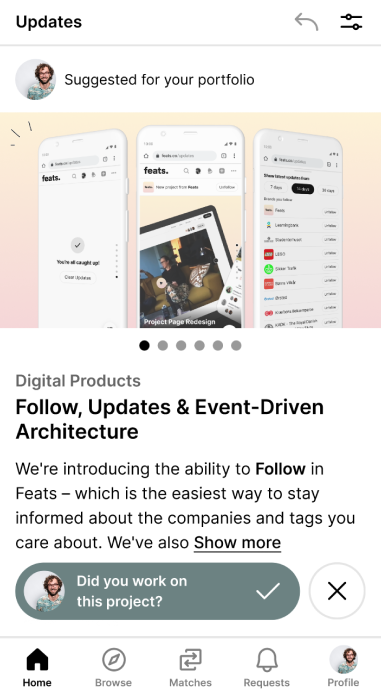
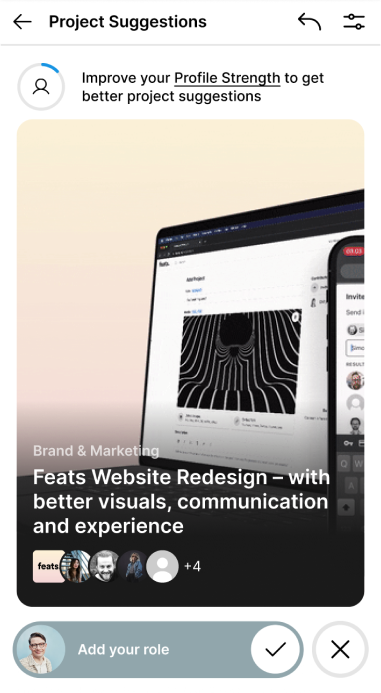
The design underwent many iterations since my initial version failed the tests. I also wanted to use the same design across mobile and desktop, to minimise the development-time and effort needed.
I focused on the mobile version, since it had to be easily done on the go.
Scroll/swipe or use arrow keys →
There wasn’t an obvious pattern for getting suggested projects that people were used to, so it was critical to do testing very early on.
The first version lacked context and testers missed critical actions and information
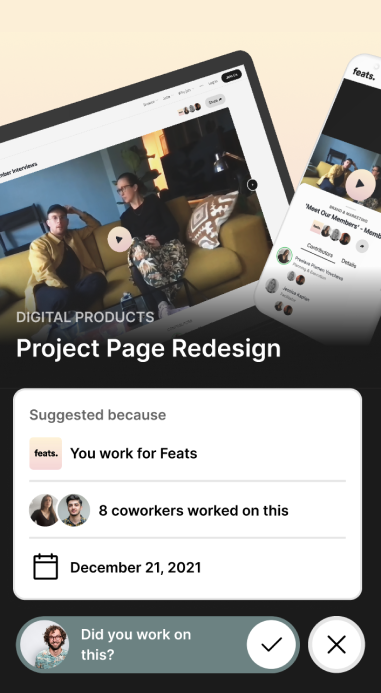
In the first version, project suggestions were part of your home feed, which wasn’t intuitive for testers. The confusion continued into the project suggestion flow and indicated that the entire context, or lack thereof, in the feature was losing the testers. It needed to be much more clear what they were even looking at. Testers also missed the buttons at the bottom for adding themselves to a project, and also didn’t scroll all the way to the bottom to the details on why a project was suggested.
The final version was a lot more intuitive, and testers finally understood the concept
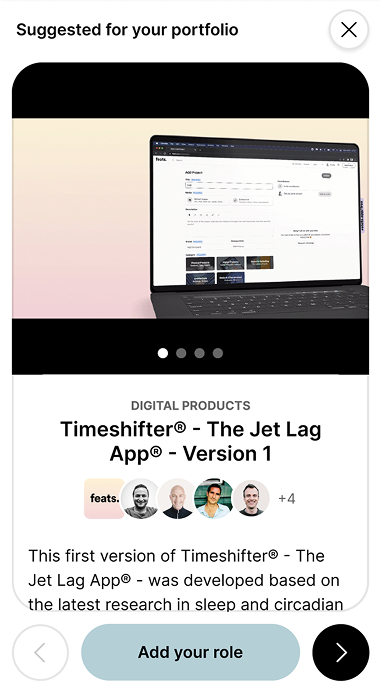
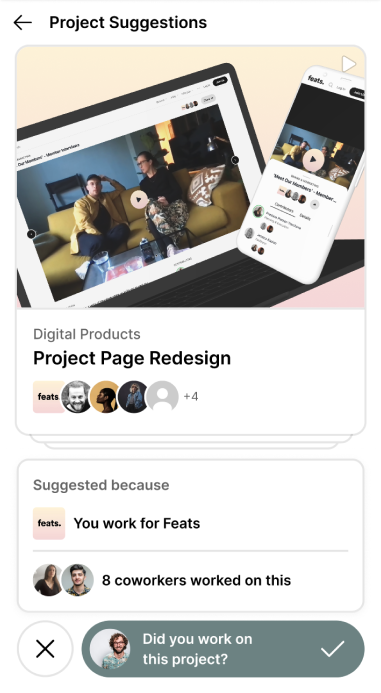
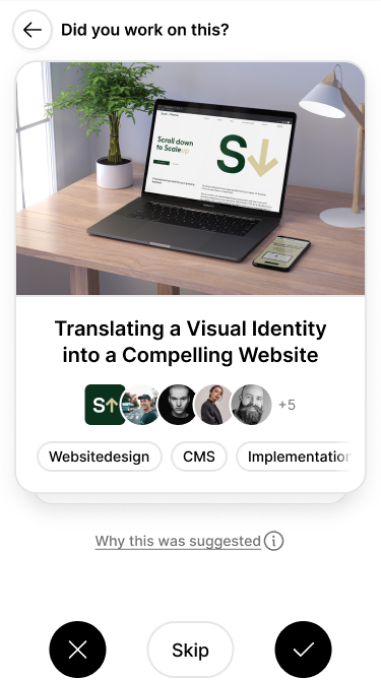
In the final design I used a more commonly known design pattern with cards, which seemed to be more intuitive, although there were different opinions about whether it was the best design for this purpose.
I chose to stick with it, since it made it easier to view the project details by clicking “into” a card. I also added a very simple feature onboarding.

transparency
I work out from a principle of transparency. In the “why was this suggested” section, members could see the logic behind the feature. As an added bonus it helped testers understand the feature better.
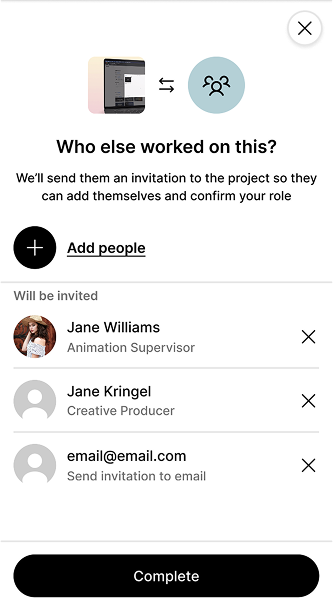
Since members verify each other on projects, we needed the option to add more people to the project, so we could suggest it to them–and invitations was how Feats grew its member base. Testing this part, I learned that people would actually do this to help their colleagues. I used that insight to argue against creating an incentive system.
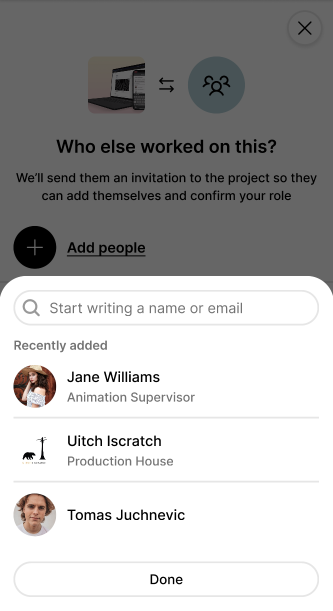
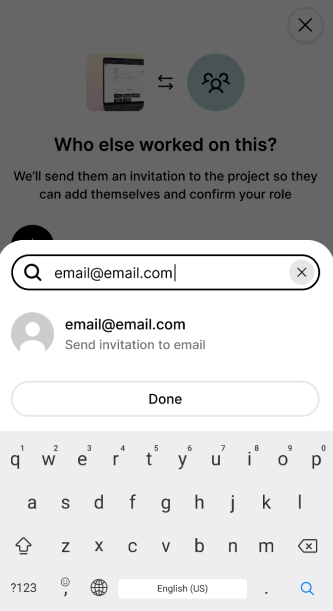
The issue with having existing data as a prerequisite was that new or already empty profiles wouldn’t get any suggestions at all. So I also designed a feature for adding work experience similar to LinkedIn.
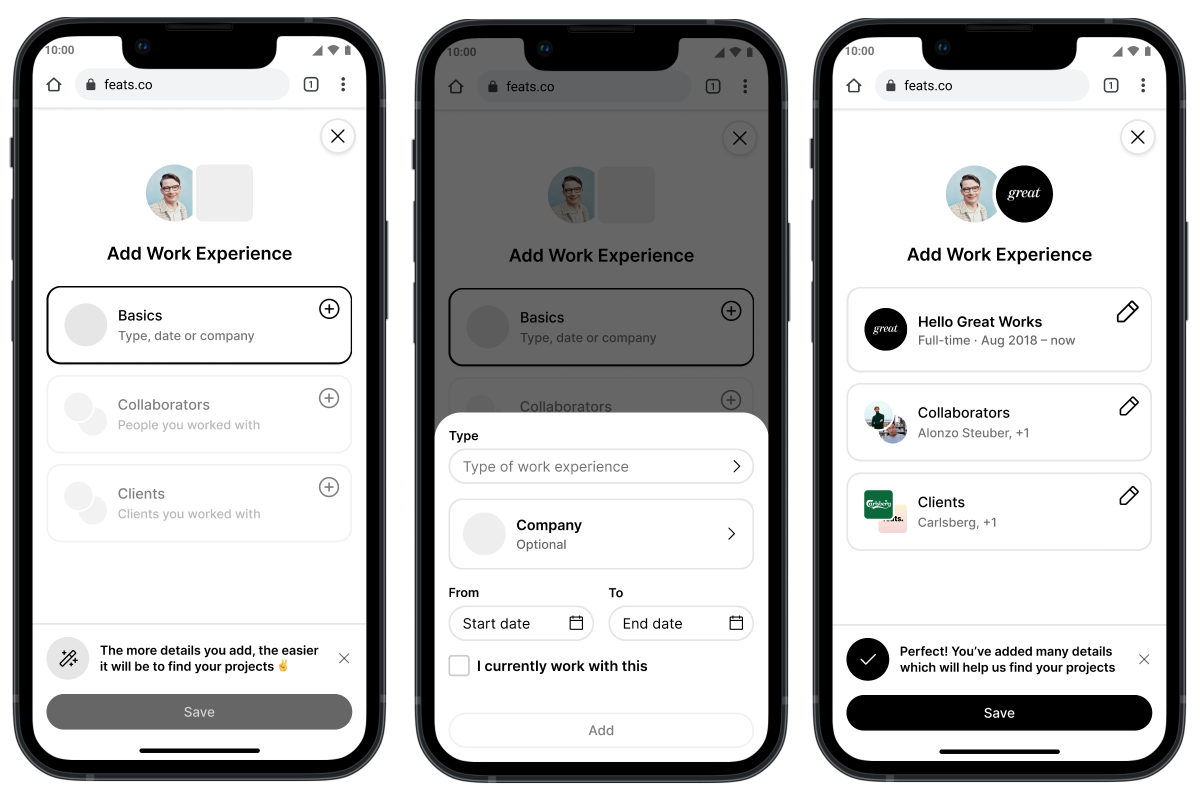
We decided to slice into a future update, as it also touched the Profile. The Work Experience feature has later been added after my time at Feats.
I also dded a small onboarding flow to explain the feature the first time people use it.
Finally, I worked with button designs—a lot.

Testing
Throughout the project, I made click-through prototypes with follow-up questions and ratings using Maze.
My initial design version failed in the tests, and apart from the feedback I could see the issues in the test videos. The final version fixed those issues.
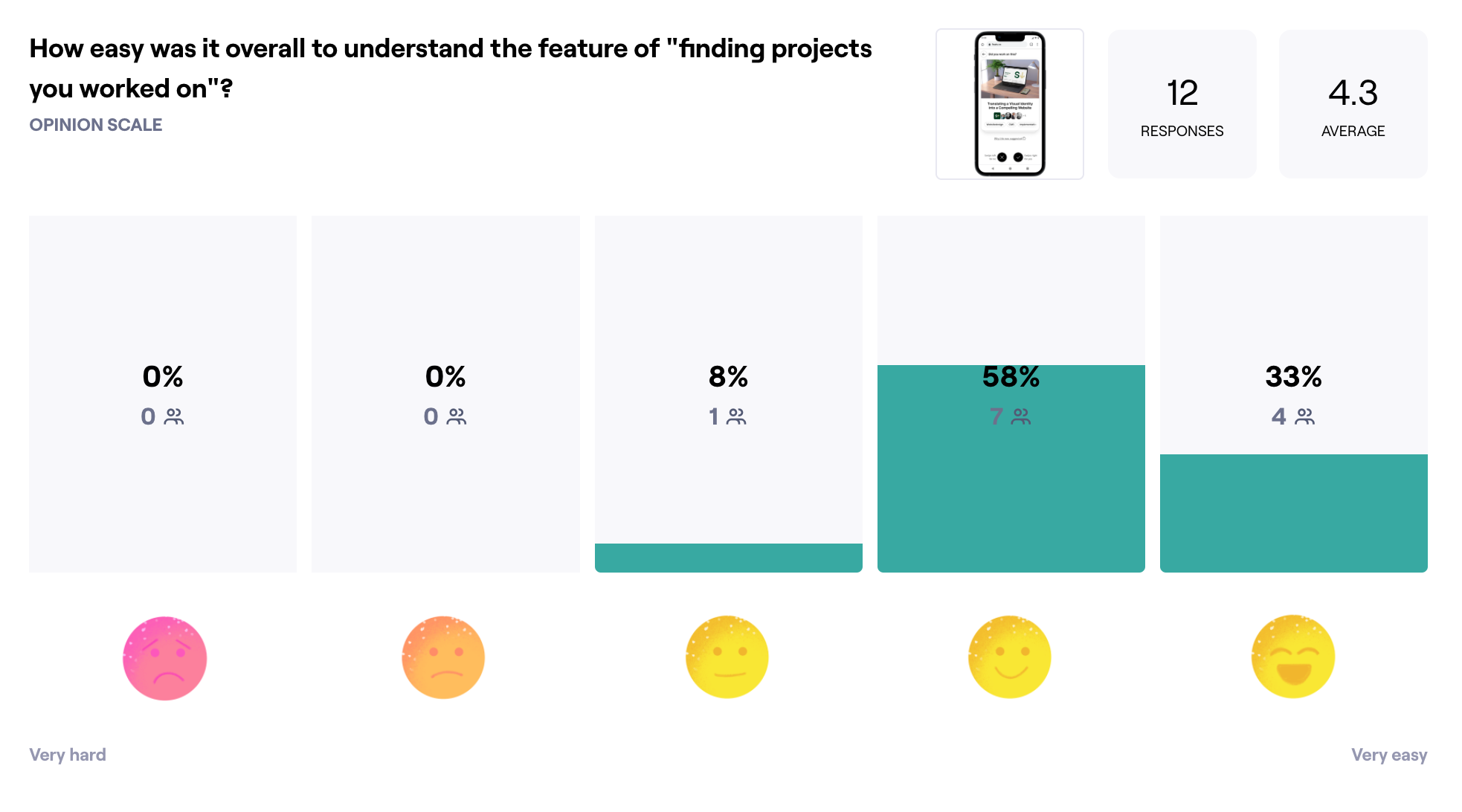
I was especially interested in making sure adding and approving other people on a project was intuitive enough. This was important, since the verification system only allowed approved people on projects. And for Feats to grow as a platform and product, members needed to invite others in, and have them approved on projects.
Kill your darlings
If a design performs badly in tests, I view it as an opportunity for improvement rather than a personal failure. Creating a safe space for people testing and providing feedback is important to me, making sure their input is met with positivity and their time is appreciated.
Development
I collaborated with both the backend and frontend developer in the different stages of the design. And being a small team, we had a weekly company call where updates on the feature was shared, questioned, and celebrated.
By completely opening up my process I learned how design has this superpower of creating a shared understanding, even of something extremely complex. Everyone can react on something visual—and seeing what we wanted to do enabled everyone to pitch in.
Design has the superpower of creating a shared understanding. Seeing what we wanted to do enabled everyone to pitch in.
I held a kick-off meeting and presented the final feature to development, wrote detailed Design Specs, and made myself available whenever questions came up.
Conclusion
With this project, I had to take an unfamiliar pattern with some advanced functionality and technical constraints behind it, and somehow make it both intuitive and logical, even to someone new to the product. It was a team effort, but at the end of the day, I had to make decisions that challenged the verification system as well as the team.
“Couldn’t this just have been a search bar?”
I deliberately designed a feature more advanced than it in theory needed to be. Yes, it could just have been a search bar. But I wasn’t just designing a feature; I was designing a product. I argued that this core feature had to have a “wow”-effect in order to create the impact we needed.
And while it was “just” one feature, it touched many parts of the product, and sparked many important conversations and future features and improvements.